Best controller settings & controls, without the guesswork.
Start with a recommended Once Human controller settings baseline for PS5 and Xbox, then use the searchable mapping explorer and calibration workflow to tune sensitivity, deadzones and controls.
Deadzone fix shipped August 28
Once Human acknowledged ineffective controller deadzones on August 26 and listed the stick deadzone issue as fixed on August 28. Your ideal value still depends on stick wear and hardware.
Controller mapping explorer
Mappings are presented as patch-sensitive defaults and can be customized. Search by action or filter the list.
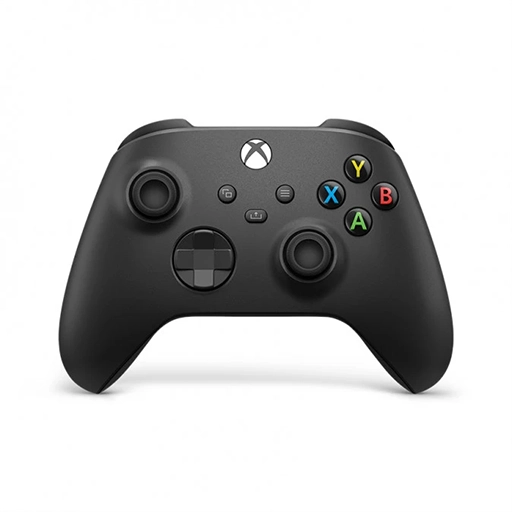
Best Once Human controller settings to start with
This is a practical shooter-focused baseline for PS5 and Xbox — not a fake “magic numbers” preset. Start here, then calibrate sensitivity and deadzones to your own controller.
Meta-Builds Shooter Baseline
RecommendedDesigned to make aiming predictable, keep combat actions separated, and reduce menu friction. The same logic works on DualSense and Xbox controllers.
Predictability before speed
The most common mistake is trying to “fix” clunky aim by pushing sensitivity higher. If the response curve or effective deadzone is the real problem, extra speed just makes overshooting worse.
Linear
Stick input maps more directly to aiming speed. Better for learning exactly how much movement your stick produces and for diagnosing excessive deadzone.
Dynamic
Uses a changing response curve. It can feel smoother or faster for larger turns, but is less raw and may be harder to diagnose if aim already feels inconsistent.
Deadzone target
Goal: as low as your controller can reliably handle without drift — not “zero at all costs.” Stick wear and controller model matter.
Long-range / weak-point focus
Linear curve, conservative camera speed, lower ADS than hip-fire, minimal stable right-stick deadzone. Prioritize micro-corrections over fast 180s.
General PvE
Linear curve, medium camera speed, slightly lower ADS, low deadzones, separate reload/interact. This is the profile most players should build from.
Close-range / aggressive
Raise hip-fire camera speed before raising ADS. Keep the right-stick deadzone low enough for tracking, and test Dynamic only if you prefer accelerated larger turns.
Why no universal sensitivity number? Once Human exposes controller curves and separate stick/trigger deadzones, but the effective result still depends on controller hardware, stick wear, display response and playstyle. The guide therefore gives a repeatable baseline and tuning method instead of presenting an unverified number as objectively “best.”
How to tune your settings
There is no universal sensitivity value that is objectively best for every stick, display, frame rate and player.
Start stable
Use a comfortable middle-ground sensitivity. Keep acceleration, deadzone and ADS changes minimal until you know what is actually causing the problem.
Change one thing
Adjust only one setting at a time. Otherwise you cannot tell which change improved—or broke—your aim.
Hip-fire + ADS
Test close tracking, a 180° turn and fine ADS corrections. A setup that feels fast in hip-fire may still feel unstable when scoped.
What should you move first?
Prioritize actions that interrupt aiming or movement when pressed frequently.
| Priority | Action type | Why it matters | Practical goal |
|---|---|---|---|
| High | Roll / dodge | Often needed while tracking enemies. | Keep movement and camera control available. |
| High | Reload / weapon swap | Combat actions are repeated constantly. | Reduce finger travel during fights. |
| Medium | Interact / use | Frequent in exploration and looting. | Comfort without sacrificing combat inputs. |
| Medium | Map / backpack / chat | Important, but not usually reaction-critical. | Place on convenient secondary inputs. |
| Situational | Multi-button shortcuts | Useful but easy to trigger accidentally. | Keep combos memorable and conflict-free. |
Once Human controller FAQ
Does Once Human support custom controller key bindings?
Yes. The official console FAQ confirms custom key bindings on console.
Does Once Human support keyboard and mouse on console?
Yes. The console FAQ lists keyboard and mouse support.
What are the main default combat buttons?
Current references agree on LT/L2 for aiming or scope, RT/R2 for firing, RB/R1 for reload, B/Circle for roll, X/Square for interact, and A/Cross for jump/glide/crouch. Because mappings can change and are customizable, treat this as a current reference rather than an immutable layout.
What is the best Once Human controller deadzone?
Use the smallest value that eliminates drift on your own controller. Once Human listed the console stick-deadzone issue as fixed on August 28, 2026, but stick wear and controller tolerances still make one universal number unreliable.
Should I copy someone else's sensitivity?
Use another player's values only as a starting point. Controller hardware, display latency, frame rate, stick wear and personal motor habits all affect what feels controllable.
Moving your Once Human progress to console?
Use the cross-progression and account-linking wizard before linking, especially if both accounts already contain characters. Then return to Meta-Builds builds to continue optimizing your character.
Patch-sensitive references
This guide's controller recommendations are built around current game features and known issues, not an old launch-era layout.
- Once Human Version 3.0.4 Update — custom controller mapping, separate reload/interact option, cursor sensitivity/snap, hotbar choices and optimized L/R stick + trigger deadzone ranges.
- Console Version Issue Fix Progress Notice — acknowledged console issue where controller deadzone settings may not take effect.
- August 28 Console Issue Fix Progress Update — listed the ineffective stick deadzone issue as fixed.
- Version 2.2.3 — official Linear and Dynamic controller sensitivity curves.
- Console Launch FAQ — confirms custom key bindings, keyboard/mouse, HDR, Quality/Performance modes and adjustable vibration intensity.